
Close Menu
FSNN NewsFSNN News
  • Home
  • News
    • Politics
    • Legal & Courts
    • Tech & Big Tech
    • Campus & Education
    • Media & Culture
    • Global Free Speech
  • AI & Crypto
    • AI & Censorship
    • Cryptocurrency & Free Speech Finance
    • Blockchain & Decentralized Media
  • Opinions
    • Debates
  • Video/Live
  • Community
  • Freedom Index
  • About
    • Mission
    • Contact
    • Support
Trending

Breakout or Bull Trap? DOGE Jumps Above Resistance on Ethereum Strength

22 minutes ago

Make crypto games great again? ‘Trump Billionaires Club’ launches this month

26 minutes ago

Rep. Keith Self Moves to ‘Fix the Bill’ With CBDC Ban Before Key Hearing

31 minutes ago
Facebook X (Twitter) Instagram
Facebook X (Twitter) Discord Telegram
FSNN NewsFSNN News
Market Data Newsletter
Wednesday, December 10
  • Home
  • News
    • Politics
    • Legal & Courts
    • Tech & Big Tech
    • Campus & Education
    • Media & Culture
    • Global Free Speech
  • AI & Crypto
    • AI & Censorship
    • Cryptocurrency & Free Speech Finance
    • Blockchain & Decentralized Media
  • Opinions
    • Debates
  • Video/Live
  • Community
  • Freedom Index
  • About
    • Mission
    • Contact
    • Support
FSNN NewsFSNN News
Home » Opt Out October: Daily Tips to Protect Your Privacy and Security
AI & Censorship

Opt Out October: Daily Tips to Protect Your Privacy and Security

News RoomBy News Room2 months agoNo Comments3 Mins Read1,250 Views
Share Facebook Twitter Pinterest Copy Link LinkedIn Tumblr Email VKontakte Telegram
Opt Out October: Daily Tips to Protect Your Privacy and Security
Share
Facebook Twitter Pinterest Email Copy Link

Listen to the article

0:00
0:00

Key Takeaways

Playback Speed

Select a Voice

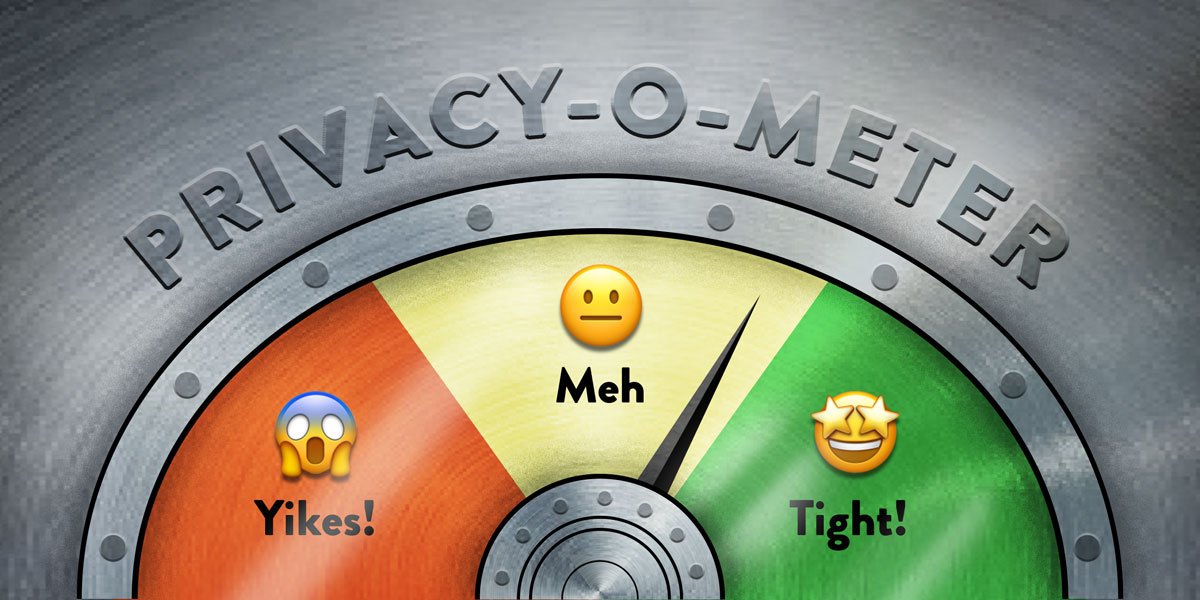
Trying to take control of your online privacy can feel like a full-time job. But if you break it up into small tasks and take on one project at a time it makes the process of protecting your privacy much easier. This month we’re going to do just that. For the month of October, we’ll update this post with new tips every weekday that show various ways you can opt yourself out of the ways tech giants surveil you.

Online privacy isn’t dead. But the tech giants make it a pain in the butt to achieve. With these incremental tweaks to the services we use, we can throw sand in the gears of the surveillance machine and opt out of the ways tech companies attempt to optimize us into advertisement and content viewing machines. We’re also pushing companies to make more privacy-protective defaults the norm, but until that happens, the onus is on all of us to dig into the settings.

All month long we’ll share tips, including some with the help from our friends at Consumer Reports’ Security Planner tool. Use the Table of Contents here to jump straight to any tip.

Table of Contents

  • Tip 1: Establish Good Digital Hygiene
  • Tip 2: Coming October 2
  • Tip 3: Coming October 3
  • Tip 4: Coming October 6
  • Tip 5: Coming October 7
  • Tip 6: Coming October 8
  • Tip 7: Coming October 9
  • Tip 8: Coming October 10
  • Tip 9: Coming October 14
  • Tip 10: Coming October 15
  • Tip 11: Coming October 16
  • Tip 12: Coming October 17
  • Tip 13: Coming October 20
  • Tip 14: Coming October 21
  • Tip 15: Coming October 22
  • Tip 16: Coming October 23
  • Tip 17: Coming October 24
  • Tip 18: Coming October 27
  • Tip 19: Coming October 28
  • Tip 20: Coming October 29
  • Tip 21: Coming October 30
  • Tip 22: Coming October 31

Tip 1: Establish Good Digital Hygiene

Before we can get into the privacy weeds, we need to first establish strong basics. Namely, two security fundamentals: using strong passwords (a password manager helps simplify this) and two-factor authentication for your online accounts. Together, they can significantly improve your online privacy by making it much harder for your data to fall into the hands of a stranger.

Using unique passwords for every web login means that if your account information ends up in a data breach, it won’t give bad actors an easy way to unlock your other accounts. Since it’s impossible for all of us to remember a unique password for every login we have, most people will want to use a password manager, which generates and stores those passwords for you.

Two-factor authentication is the second lock on those same accounts. In order to login to, say, Facebook for the first time on a particular computer, you’ll need to provide a password and a “second factor,” usually an always-changing numeric code generated in an app or sent to you on another device. This makes it much harder for someone else to get into your account because it’s less likely they’ll have both a password and the temporary code.

This can be a little overwhelming to get started if you’re new to online privacy! Aside from our guides on Surveillance Self-Defense, we recommend taking a look at Consumer Reports’ Security Planner for ways to help you get started setting up your first password manager and turning on two-factor authentication.

Come back tomorrow for another tip!

Read the full article here

Fact Checker

Verify the accuracy of this article using AI-powered analysis and real-time sources.

Get Your Fact Check Report

Enter your email to receive detailed fact-checking analysis

5 free reports remaining

Continue with Full Access

You've used your 5 free reports. Sign up for unlimited access!

Already have an account? Sign in here

Share. Facebook Twitter Pinterest LinkedIn Tumblr Email Telegram Copy Link
News Room
  • Website
  • Facebook
  • X (Twitter)
  • Instagram
  • LinkedIn

The FSNN News Room is the voice of our in-house journalists, editors, and researchers. We deliver timely, unbiased reporting at the crossroads of finance, cryptocurrency, and global politics, providing clear, fact-driven analysis free from agendas.

Related Articles

Media & Culture

Public AI, Built On Open Source, Is The Way Forward In The EU

2 hours ago
Media & Culture

How ICE’s Plan To Monitor Social Media Threatens Not Just Privacy, But Civic Participation

6 hours ago
Media & Culture

Get Ready To Enter A New Decade With The Next Public Domain Game Jam: Gaming Like It’s 1930!

8 hours ago
Media & Culture

Judge: Even If Trump’s DOJ Goes After Comey Again, It Won’t Have Access To Evidence It Illegally Obtained

9 hours ago
AI & Censorship

OpenAI Staffer Quits, Alleging Company’s Economic Research Is Drifting Into AI Advocacy

10 hours ago
Media & Culture

Three Tweets That Capture The Entire Elon Musk Free Speech Con

10 hours ago
Add A Comment
Leave A Reply Cancel Reply

Editors Picks

Make crypto games great again? ‘Trump Billionaires Club’ launches this month

26 minutes ago

Rep. Keith Self Moves to ‘Fix the Bill’ With CBDC Ban Before Key Hearing

31 minutes ago

Today in Supreme Court History: December 9, 2015

1 hour ago

U.S. Judge Presses Do Kwon Case Before Sentencing, Cites ‘Assurance’ Gap

1 hour ago
Latest Posts

Bitcoin FOMO trickles back at $94K, but Fed could spoil the party

1 hour ago

Stripe’s Tempo Payments Blockchain Opens to Public With Mastercard, UBS Onboard

2 hours ago

Public AI, Built On Open Source, Is The Way Forward In The EU

2 hours ago

Subscribe to News

Get the latest news and updates directly to your inbox.

At FSNN – Free Speech News Network, we deliver unfiltered reporting and in-depth analysis on the stories that matter most. From breaking headlines to global perspectives, our mission is to keep you informed, empowered, and connected.

FSNN.net is owned and operated by GlobalBoost Media
, an independent media organization dedicated to advancing transparency, free expression, and factual journalism across the digital landscape.

Facebook X (Twitter) Discord Telegram
Latest News

Breakout or Bull Trap? DOGE Jumps Above Resistance on Ethereum Strength

22 minutes ago

Make crypto games great again? ‘Trump Billionaires Club’ launches this month

26 minutes ago

Rep. Keith Self Moves to ‘Fix the Bill’ With CBDC Ban Before Key Hearing

31 minutes ago

Subscribe to Updates

Get the latest news and updates directly to your inbox.

© 2025 GlobalBoost Media. All Rights Reserved.
  • Privacy Policy
  • Terms of Service
  • Our Authors
  • Contact

Type above and press Enter to search. Press Esc to cancel.

🍪

Cookies

We and our selected partners wish to use cookies to collect information about you for functional purposes and statistical marketing. You may not give us your consent for certain purposes by selecting an option and you can withdraw your consent at any time via the cookie icon.

Cookie Preferences

Manage Cookies

Cookies are small text that can be used by websites to make the user experience more efficient. The law states that we may store cookies on your device if they are strictly necessary for the operation of this site. For all other types of cookies, we need your permission. This site uses various types of cookies. Some cookies are placed by third party services that appear on our pages.

Your permission applies to the following domains:

  • https://fsnn.net
Necessary
Necessary cookies help make a website usable by enabling basic functions like page navigation and access to secure areas of the website. The website cannot function properly without these cookies.
Statistic
Statistic cookies help website owners to understand how visitors interact with websites by collecting and reporting information anonymously.
Preferences
Preference cookies enable a website to remember information that changes the way the website behaves or looks, like your preferred language or the region that you are in.
Marketing
Marketing cookies are used to track visitors across websites. The intention is to display ads that are relevant and engaging for the individual user and thereby more valuable for publishers and third party advertisers.