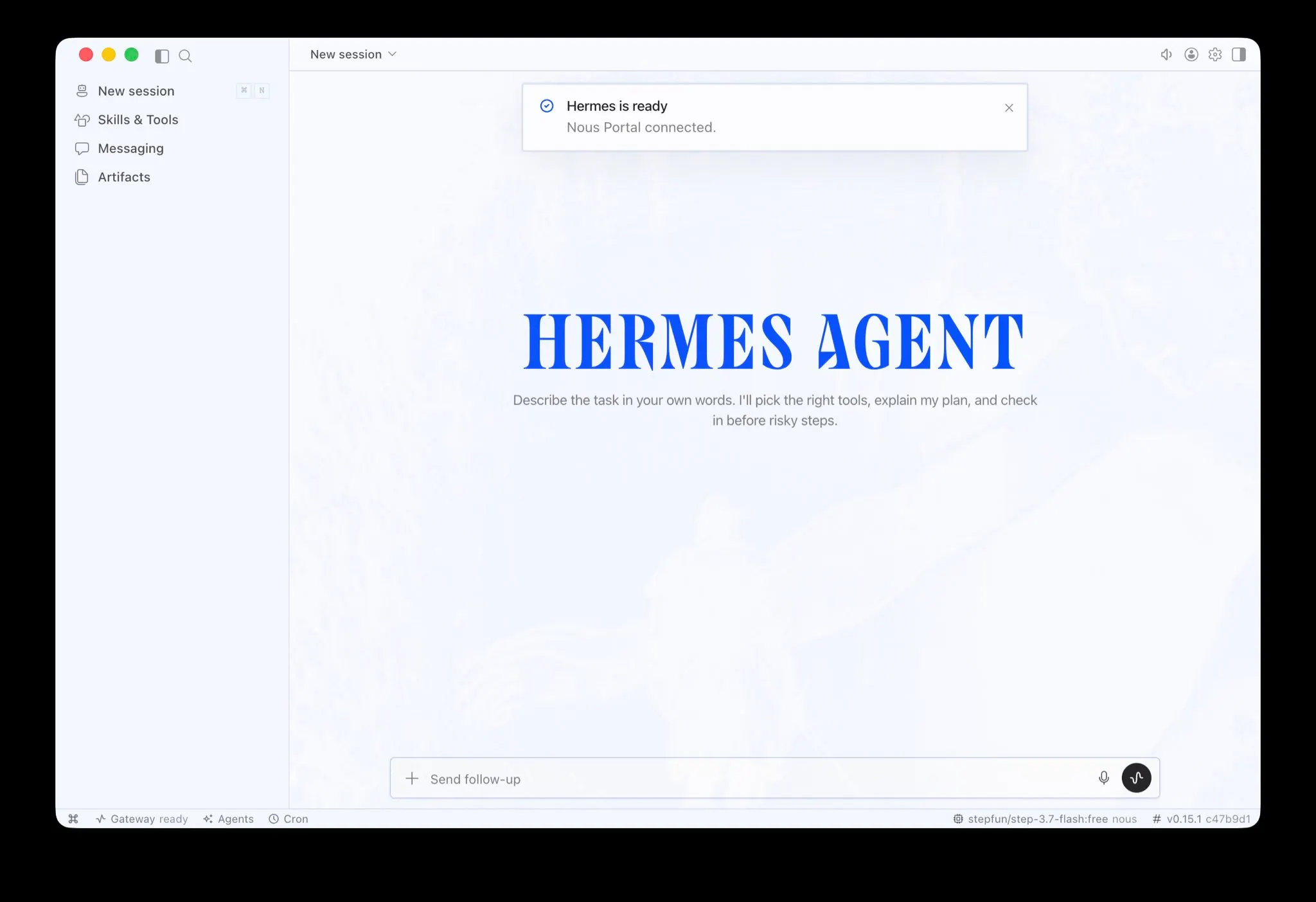
Nous Research launched Hermes Desktop on June 2 as a native public preview app for macOS, Windows, and Linux
Before this release, all existing graphical interfaces for Hermes were third-party builds created by the community.
The app ships as version v0.15.2 under the MIT license, meaning it’s free to download, free to use, and open to anyone who wants to inspect or modify it.
Nous Research shipped Hermes Desktop yesterday as a public preview, and now the self-improving agent that the AI community has been obsessing over has an official front door. No terminal or config files. Just download, install, and run.
Previously, if you wanted to run Hermes with any kind of visual interface, you had to find it yourself.
The community had built some genuinely impressive options—we covered four of the best ones last month—but all of them were unofficial, third-party GUIs, SSH companions, or browser-based wrappers.
What Hermes actually is (and why the terminal was always the catch)
Hermes Agent is an open-source autonomous AI agent built by Nous Research that does something most AI tools don’t: It gets better the more you use it. When it figures out how to do something new, it saves that approach as a reusable skill document so it can apply it again next time, without you having to explain it again. That’s the core pitch, and it’s why Hermes became so popular.
The catch was always the setup. To run Hermes, you had to open a terminal, run a curl install command, and then type your way through every interaction. That’s fine if you’re a developer and the terminal is your natural habitat, but it’s a real barrier if you’re not.
Hermes running via Terminal
OpenClaw, Hermes’s main open-source rival, had already solved this. It ships with a visual interface out of the box, which is part of why it built its user base faster among non-technical people early on. Hermes had the more interesting architecture—specifically that self-improving skills loop—but it was also the harder one to actually get running.
The desktop app closes that gap.
What the official app gives you
Hermes Desktop is a native app for macOS 12+, Windows 10/11, and Linux, built on Electron and React with a Python backend. It runs the same agent core as the CLI version—same memory, same skills, same configuration—so nothing you’ve built before gets left behind.
The macOS and Windows builds are direct downloads. Linux users still install via terminal, which is a reasonable compromise for that platform.
The feature list covers what you’d expect from a serious agent interface. Persistent memory that stores your projects and how it solved them, natural-language scheduling for recurring tasks and reports, web browsing and image generation, and support for more than 300 models through the Nous Portal.
You can delegate to sub-agents—essentially smaller instances of Hermes that run their own isolated tasks in parallel—and reach the same agent across Telegram, Discord, Slack, WhatsApp, Signal, and email. Five execution backends handle sandboxed environments: local, Docker, SSH, Singularity, and Modal.
The portal has a free tier. Paid plans—Plus, Super, Ultra—come with monthly credits and model access. The app itself is MIT-licensed, meaning anyone can audit the code, self-host it, or modify it without asking permission.
The new app also makes Hermes substantially more approachable than OpenClaw for anyone coming in fresh. OpenClaw is a deep ecosystem with a skill marketplace, 50+ messaging integrations, and a large community. It’s powerful and it has its own learning curve. Hermes’s pitch has always been simpler to state: use it, and it learns.
Nous Research notes the app is in public preview, which means rough edges should be expected. The GitHub repository is live and the team is actively collecting feedback.
Daily Debrief Newsletter
Start every day with the top news stories right now, plus original features, a podcast, videos and more.
The FSNN News Room is the voice of our in-house journalists, editors, and researchers. We deliver timely, unbiased reporting at the crossroads of finance, cryptocurrency, and global politics, providing clear, fact-driven analysis free from agendas.
We and our selected partners wish to use cookies to collect information about you for functional purposes and statistical marketing. You may not give us your consent for certain purposes by selecting an option and you can withdraw your consent at any time via the cookie icon.
Cookies are small text that can be used by websites to make the user experience more efficient. The law states that we may store cookies on your device if they are strictly necessary for the operation of this site. For all other types of cookies, we need your permission. This site uses various types of cookies. Some cookies are placed by third party services that appear on our pages.
Your permission applies to the following domains:
https://fsnn.net
Necessary
Necessary cookies help make a website usable by enabling basic functions like page navigation and access to secure areas of the website. The website cannot function properly without these cookies.
Statistic
Statistic cookies help website owners to understand how visitors interact with websites by collecting and reporting information anonymously.
Preferences
Preference cookies enable a website to remember information that changes the way the website behaves or looks, like your preferred language or the region that you are in.
Marketing
Marketing cookies are used to track visitors across websites. The intention is to display ads that are relevant and engaging for the individual user and thereby more valuable for publishers and third party advertisers.


 Freedom Index